Deploy Applications
In this section, you will find all the available methods to deploy an application.
More and more apps are only available for arm64. We strongly recommend using arm64 images, rather than x86_64, for best compatibility.
From Google Play Store
The application you are developing or testing may require an interaction with Google Play Services (e.g.: in-app purchasing, advertising, etc.). If you really need them, you can use the packages provided by Open GApps.

It is now possible to install the Open GApps package using the device content feature:
-
Go to the Device content panel:
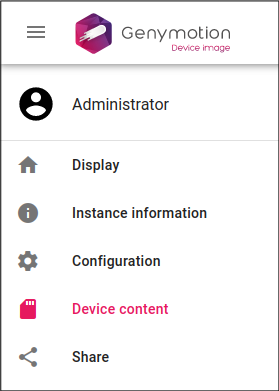
-
In the Packages section, click
 next to the Open GApps package: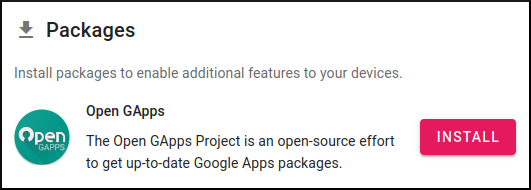
-
The Open Gapps package will be automatically downloaded and installed. Reboot the instance when prompted.
-
Open Google Play Store in the Android App Drawer:
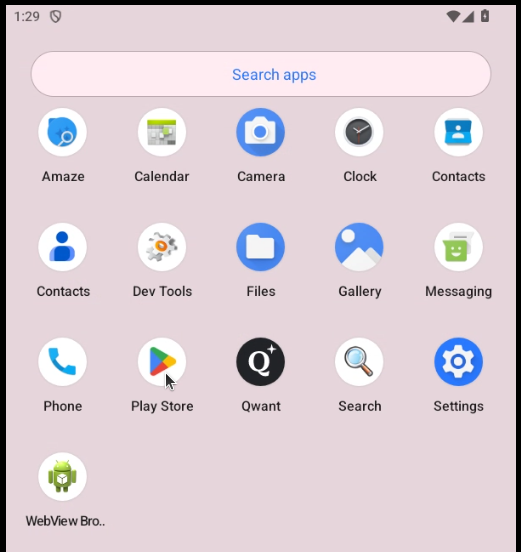

- From your device display, open the File upload widget
- Click INSTALL OPEN GAPPS
- Click INSTALL
- After the package is installed, reboot your instance.
- Once done, you may have to wait a couple of minutes for the Google Apps to update themselves before opening them.
- (optional)Open Play Store and sign in.
Most modern Android apps are only available for arm64 now. Make sure to use an arm64 image or you may not be able to install many apps from Google Play Store.
With an APK File
To deploy an application from an APK file to a virtual device, you can use one of the following methods:
Drag'n Drop
Drag and Drop the .apk file to the virtual device display. This will install and open the applications automatically:
File upload
- Open the File upload widget
- Click BROWSE and select the APK file to deploy
- Click OK
This will install and open the application automatically.
With ADB
Connect the instance to ADB and run this command:
adb install <application name>.apk
Warning
If you don't use a universal APK, make sure it matches your instance image architecture:
- x86 or x86_64 for x86_64 images.
- arm (ARMv7) or arm64 (ARMv8) for arm64 images.
Applications for ARM/ARM64
More and more Android apps are only available for arm64 now, in accordance with Google requirements. If you use a x86_64 image, you will likely not be able to install many modern apps.
We therefore strongly recommend using one of our arm64 AMIs for best compatibility.