Camera and Microphone
The Camera injection widget allows you to send a video stream from a virtual device to the Android system. With this widget, you can test an Android application that uses Android built-in cameras.
The default video stream is a simple video placeholder - you can also use the video stream from a real physical webcam connected or integrated into your computer.
The camera and microphone input are controlled via the Media Injection widget.
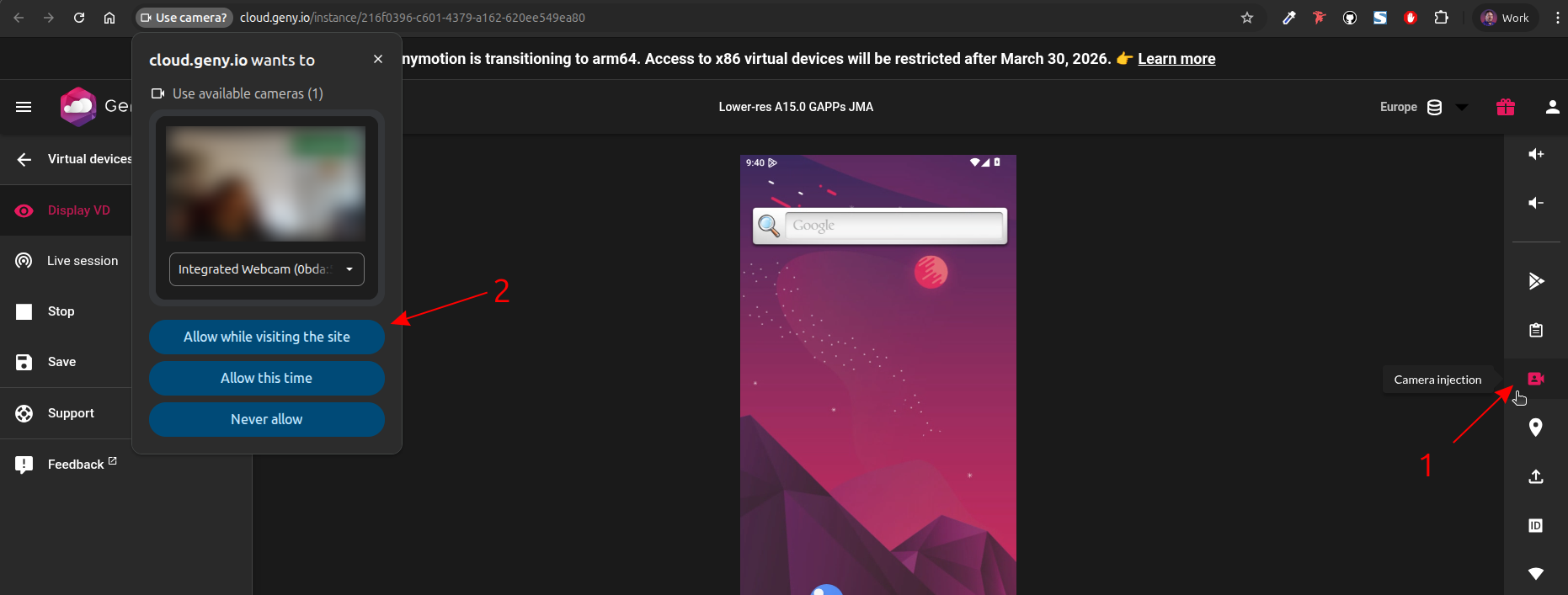
To toggle the Camera injection widget, click in the right toolbar.
Make sure access to your local webcam is allowed by your web browser:
This feature is not available with Android Automotive
To use the Camera and Microphone injection widget:
- Click
- Allow your web browser to access your host webcam and microphone when prompted: